Introduction to HTML
- HyperText → Text that contains links (hyperlinks) to other text or resources. Example: clicking a link that takes you to another page.
- Markup → Special tags (like heading, paragraph, anchor etc..) used to tell the browser how to display content.
- Language → A set of rules and syntax that computers (browsers) can understand.
Hyper Text Markup Language (HTML) means a language made of tags that structures web content and allows linking between pages.
Basic HTML Tags
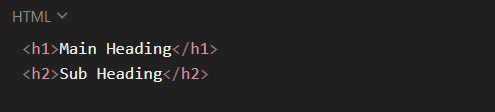
Headings (<h1> to <h6>)
- Used to define headings on a webpage.
- h1 is the largest (main heading), h6 is the smallest.
- Search engines give more weight to h1
Code
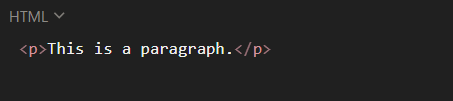
Paragraph (<p>)
- Used to define blocks of text content.
- Browsers automatically add spacing before and after a paragraph.
Code
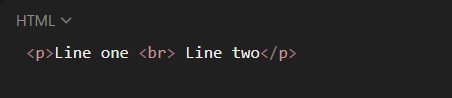
Line Break (<br>)
- Inserts a single line break without starting a new paragraph.
Code
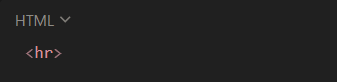
Horizontal Rule (<hr>)
- Creates a horizontal line across the page.
- Often used to separate sections of content.
Code
Lists in HTML
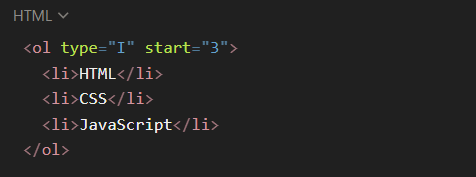
Ordered List (<ol>)
- Displays items in a numbered sequence.
- Each item goes inside <li>.
- Default: numbers (1, 2, 3..).
Attributes of <ol>:
- type → changes numbering style
- 1 → Numbers (default)
- A → Uppercase letters
- a → Lowercase letters
- I → Roman numerals (uppercase)
- i → Roman numerals (lowercase)
- start → specifies starting number/letter.
- reversed → displays numbers in descending order.
code
Unordered List (<ul>)
- Displays items with bullets.
- Each item goes inside <li>.
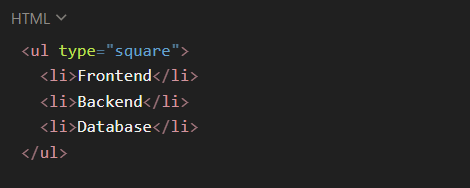
Attributes of <ul>:
- type="disc" → ● (default)
- type="circle" → ○
- type="square" → ■
- type="none" → No bullets
code
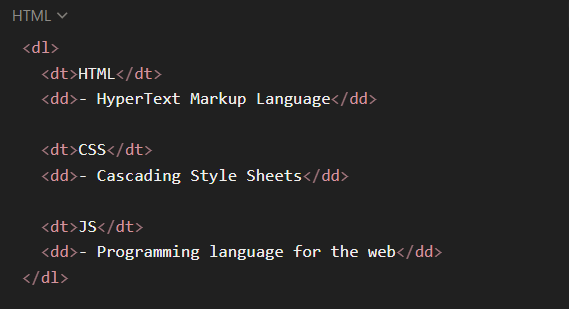
Description List (<dl>)
- Used for terms and descriptions (like a glossary or FAQ).
Tags used:
- <dl>
- Defines the list.
- <dt>
- Defines the term.
- <dd>
- Defines the description.
code
Anchor Tag (<a>)
Attributes:
code

Image Tag (<img>)
- Used to display images.
- It is a self-closing tag.
Important Attributes
- src → Path or URL of the image.
- alt → Alternate text (shown if image fails to load, useful for SEO & accessibility).
- height width → Controls the size of the image.
code
