What is an HTML Form?
- An HTML form is used to collect user input.
- Example: login forms, signup forms, feedback forms, search boxes, etc.
- Collected data is usually sent to a server for processing.
Why are Forms Needed?
- To interact with users and collect data.
- To enable user authentication (login, signup).
- To submit information like orders, queries, surveys.
- To allow search functionality on websites.
HTML Form Elements
<form> Tag
- Defines a form for user input.
- Wraps all form elements.
-
Important Attributes:
- action → URL where form data is sent (e.g., a server or API).
-
method → How data is sent:
- GET (data in URL, not secure, used for searches).
- POST (data in request body, secure, used for login, registration).
- enctype → Encoding type for file uploads (multipart/form-data).
- target → Where to display response (_self, _blank).

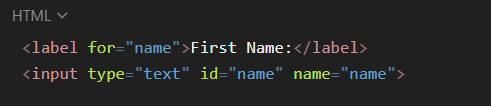
<label>
- Used to label input fields.
- Connected to input via for (should match the input id).
- Improves accessibility (screen readers, clicking label focuses input).
code
<input>
- Most commonly used form element.
- type attribute defines behavior.
Common Input Types:
- text → single-line text.
- password → masked input.
- email → validates email format.
- tel → for phone numbers.
- date → calendar selector.
- file → upload files.
- radio → choose one option in a group (must share same name).
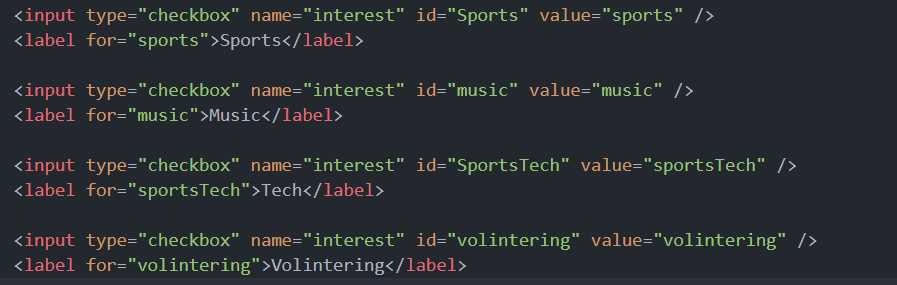
- checkbox → choose multiple options.
- number → numeric input.
- range → slider for numbers.
- submit → submit form.
- reset → clear all inputs.
- button → custom button.
code

<textarea>
- For multi-line input (like address, comments).
-
Attributes:
- rows → height (number of lines).
- cols → width (characters per line).
- Can also use CSS for sizing.
code

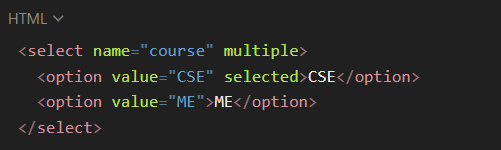
<select> and <option>
- Dropdown menu.
- <option> defines choices.
-
Attributes:
- value → submitted value.
- selected → preselected option.
- multiple → allows selecting multiple values.
code
<button>
- Used for submission or actions.
-
Attributes:
- type="submit" → submits form (default).
- type="reset" → clears inputs.
- type="button" → general button.
code

Grouping Inputs
Radio Buttons
- All same name = only one selectable.
Checkboxes
- Multiple can be selected.
code
Advanced HTML Form Features
File Upload
- accept → restricts file type (image/*, .pdf, .doc).
code

Security & Validation
- required → mandatory field.
- min, max, maxlength, minlength → input limits.
- pattern → regex validation.
code

Extra Useful Tags
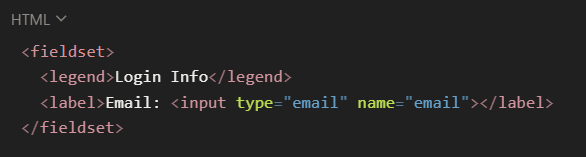
- <fieldset> → groups related form fields.
- <legend> → title for a fieldset.
- <datalist> → provides suggestions in a text field.
- <output> → shows calculated results.
code